Navigation
Prelude
Welcome to Part 2 of the Agentic Framework Build Series.
My goal with this series is to share my learnings as I explore different Agentic AI frameworks while helping you build a strong GenAI portfolio.
This is a hands-on, beginner-friendly series combining practical implementation with key conceptual insights.
If you missed Part 1: 👉 LangGraph
📸 What We’ll Build

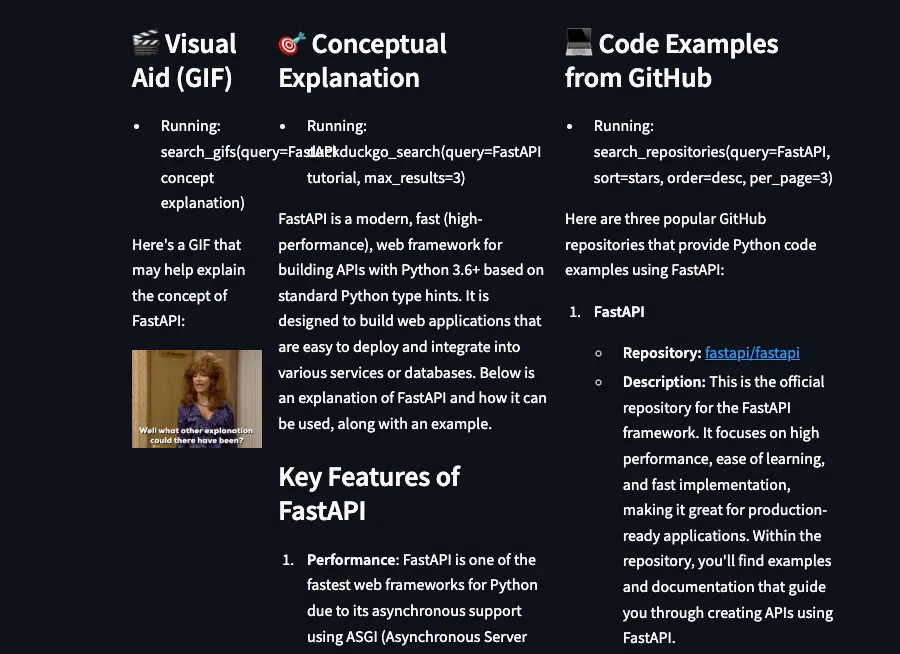
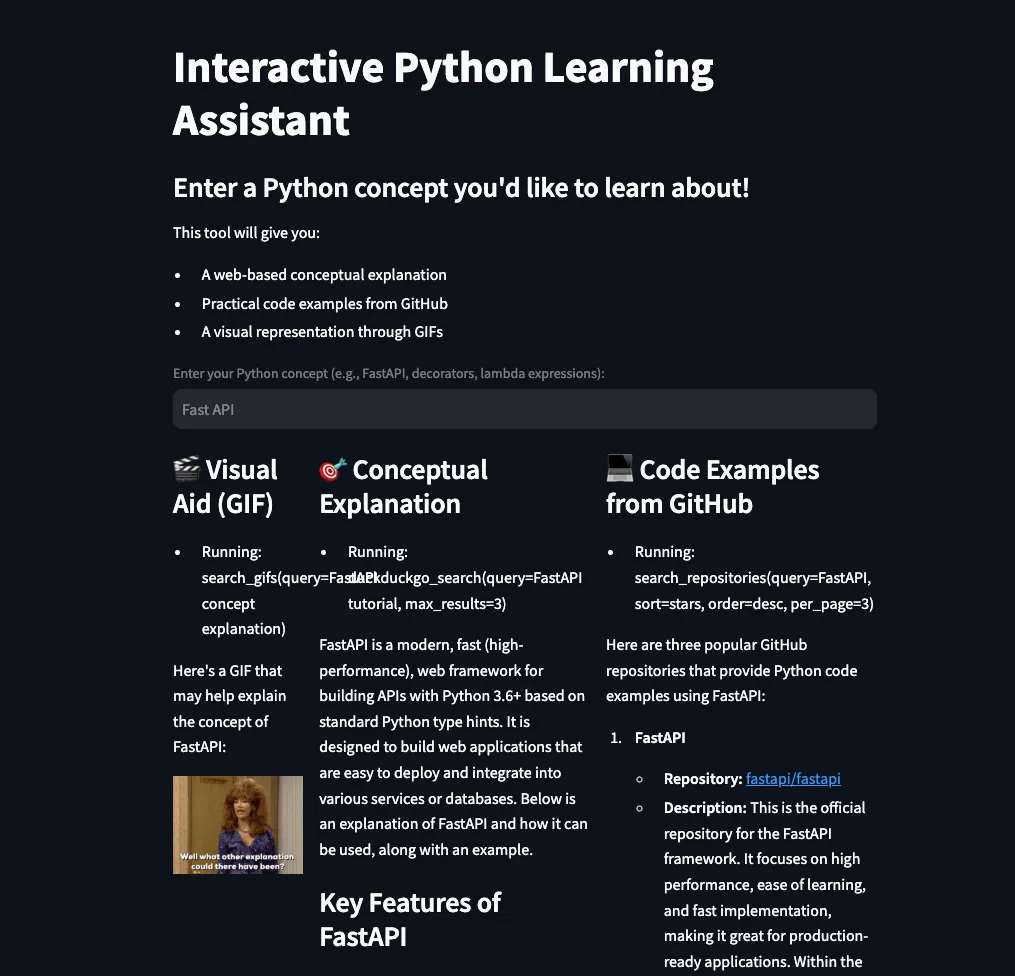
A fun Python Code Explainer app that:
- explains concepts visually (GIFs)
- provides summaries
- includes code examples
Agno — What, When & How
What
Agno (previously Phi Data) is:
- open-source
- lightweight
- built for agentic AI systems
It supports:
- multi-modal agents
- memory
- external knowledge
- tool integrations
Comparison with LangGraph
- LangGraph → more control
- Agno → fewer lines of code
👉 Agno is optimized for speed and efficiency
When
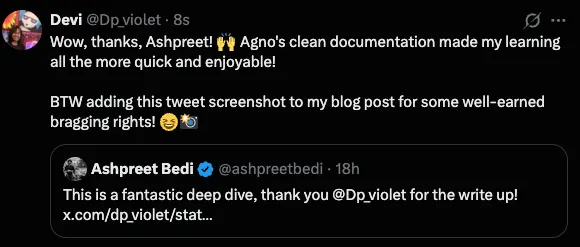
Agno is relatively new (~2 years), but already has strong adoption (~22K+ GitHub stars)
📸 Founder Tweet
How
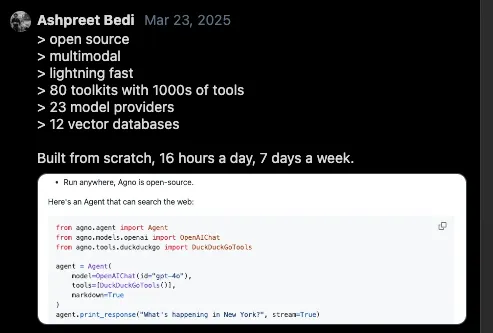
Agno exposes LLMs as a unified API and gives them superpowers like memory, knowledge, tools and reasoning.
📸 Agno Concept Visual
Agno — Key Components
1. Agents
Agents are AI workers with different levels of capability:
- Level 0 → basic inference
- Level 1 → tool-enabled
- Level 2 → memory + reasoning
- Level 3 → multi-agent systems
2. Tools
Agents can use tools like:
- web search
- file systems
- databases
👉 This allows interaction with real-world data
3. Memory & Knowledge
Agents can:
- remember past interactions
- store context
- connect to vector databases (RAG)
4. Multi-Agent Orchestration
Agno supports:
- teams of agents
- collaborative workflows
Hands-On Project Guide
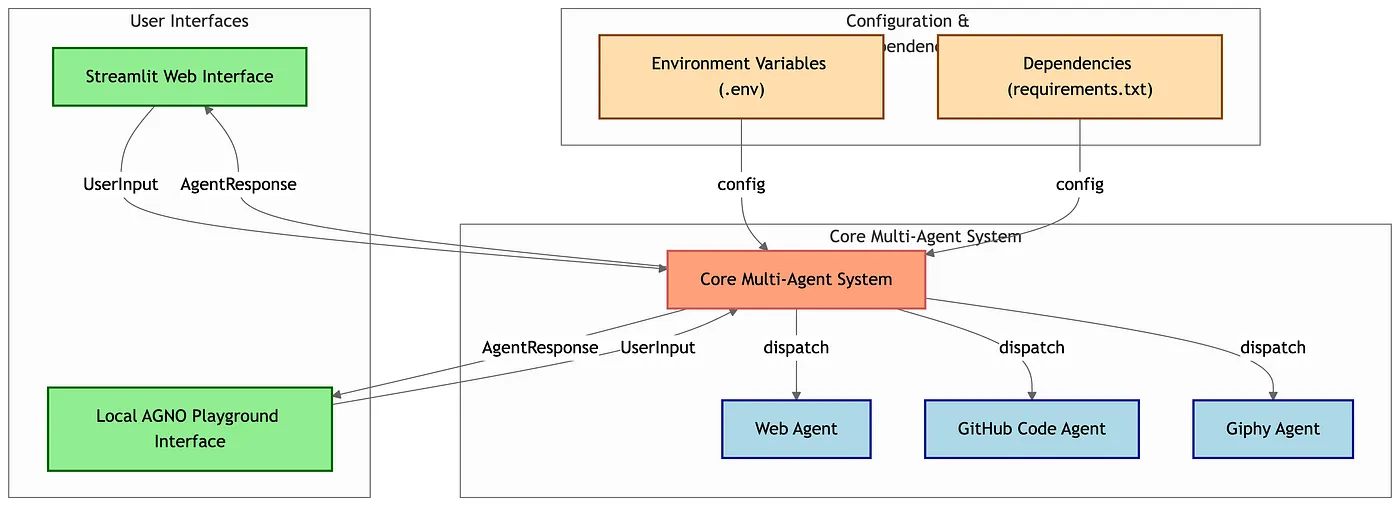
For this project, I built a:
👉 Python Code Explainer App
It uses:
- Web Agent
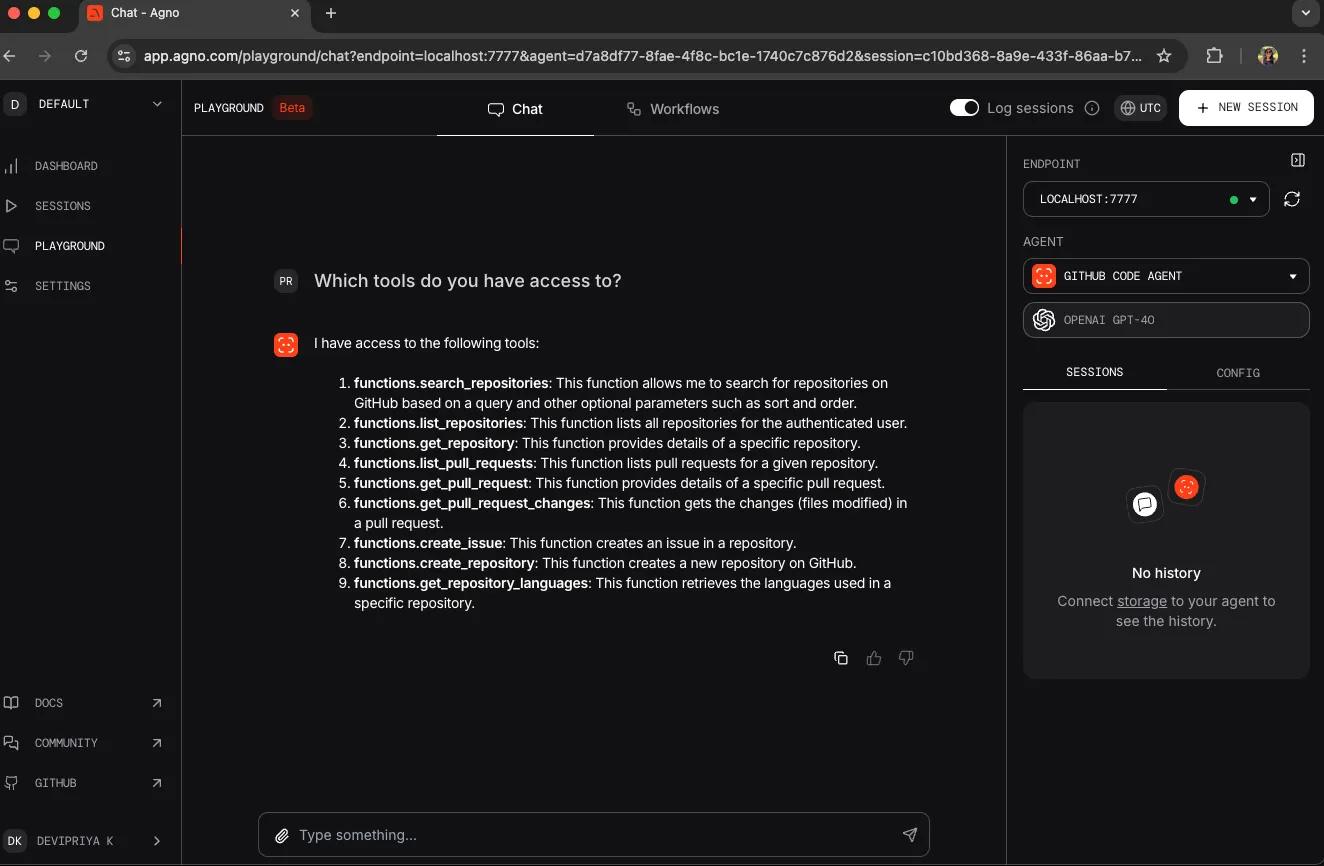
- GitHub Code Agent
- Giphy Agent
📸 Architecture / Diagram
Project Structure
agno_usecase/
├── python_withgif.py  # Core agent logic
├── app.py             # Streamlit web app
├── playground.py      # Local debugging UI
├── .env               # Environment variables
├── requirements.txt   # Dependencies
Multi-Agent System (Core Logic)
Web Agent
web_agent = Agent(
    name="Web Agent",
    role="Search the web for information about programming concepts",
    model=OpenAIChat(id="gpt-4o"),
    tools=[DuckDuckGoTools()],
    instructions="Find relevant information on the web. Always include sources.",
    show_tool_calls=True,
    markdown=True,
)
GitHub Code Agent
github_agent = Agent(
    name="GitHub Code Agent",
    role="Find code examples on GitHub",
    model=OpenAIChat(id="gpt-4o"),
    tools=[GithubTools(search_repositories=True)],
    instructions="Find code examples on GitHub related to the user's query. Explain what the code does. Limit to 3 GitHub repo in English",
    show_tool_calls=True,
    markdown=True,
)
Giphy Agent
giphy_agent = Agent(
    name="Giphy Agent",
    role="Find relevant GIFs",
    model=OpenAIChat(id="gpt-4o"),
    tools=[GiphyTools(
        api_key=os.getenv("GIPHY_API_KEY"),
        limit=1
    )],
    instructions="Find relevant and appropriate GIFs related to the query.",
    show_tool_calls=True,
    markdown=True,
)
Agno Playground
Used for:
- local testing
- debugging
- monitoring tool calls
📸 Playground UI
Streamlit App
Provides:
- interactive UI
- real-time responses
- text + code + GIF outputs
📸 Streamlit Interface
🎥 Companion Video
Resources
- GitHub Repo: https://github.com/lulu3202/agno_usecase
- Agno Cookbook: https://github.com/agno-agi/agno/tree/main/cookbook/getting_started
- Documentation: https://docs.agno.com/introduction
Outro
💡 Personal observation:
Working with Agno was fun because of its well-structured documentation.
Recommendation
👉 Explore the cookbook
👉 Modify examples
👉 Build your own projects
Key Insight
Agno reduces the friction of building agentic systems
📩 Subscribe
If you’re building AI systems:
I share practical workflows, tools, and experiments every time I publish.