Navigation
- Prelude
- Agentic AI vs AI Agent
- Why Start with LangGraph
- An Iterative Approach
- Use Cases
- Development Process
- Debug Phase
- UI Phase
- Deployment
- Conclusion
Prelude
In December, Anthropic published a widely shared article: Building Effective Agents.
One key insight from that article was five core workflows:
- Prompt chaining
- Routing
- Parallelization
- Evaluator-optimizer
- Orchestrator-worker
Inspired by this, I built an app using:
- LangGraph
- Groq
- Pydantic
- Streamlit
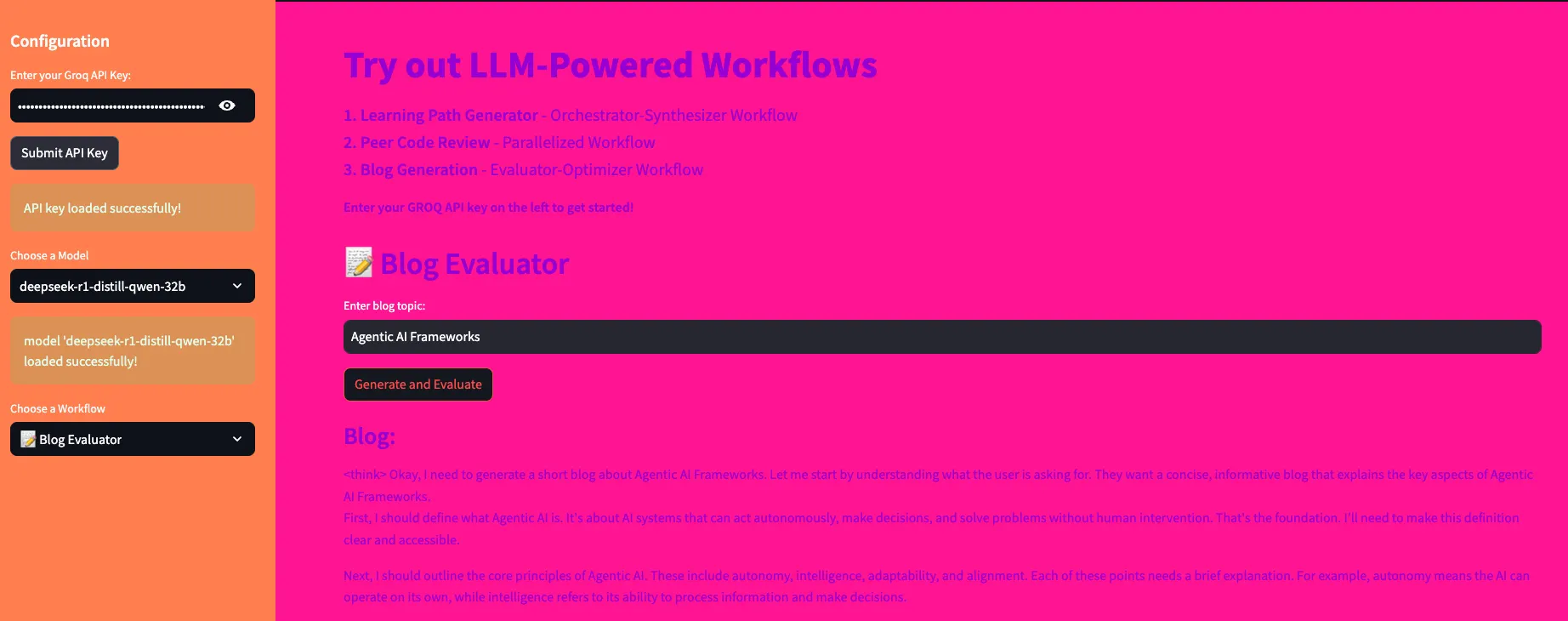
📸 App Preview
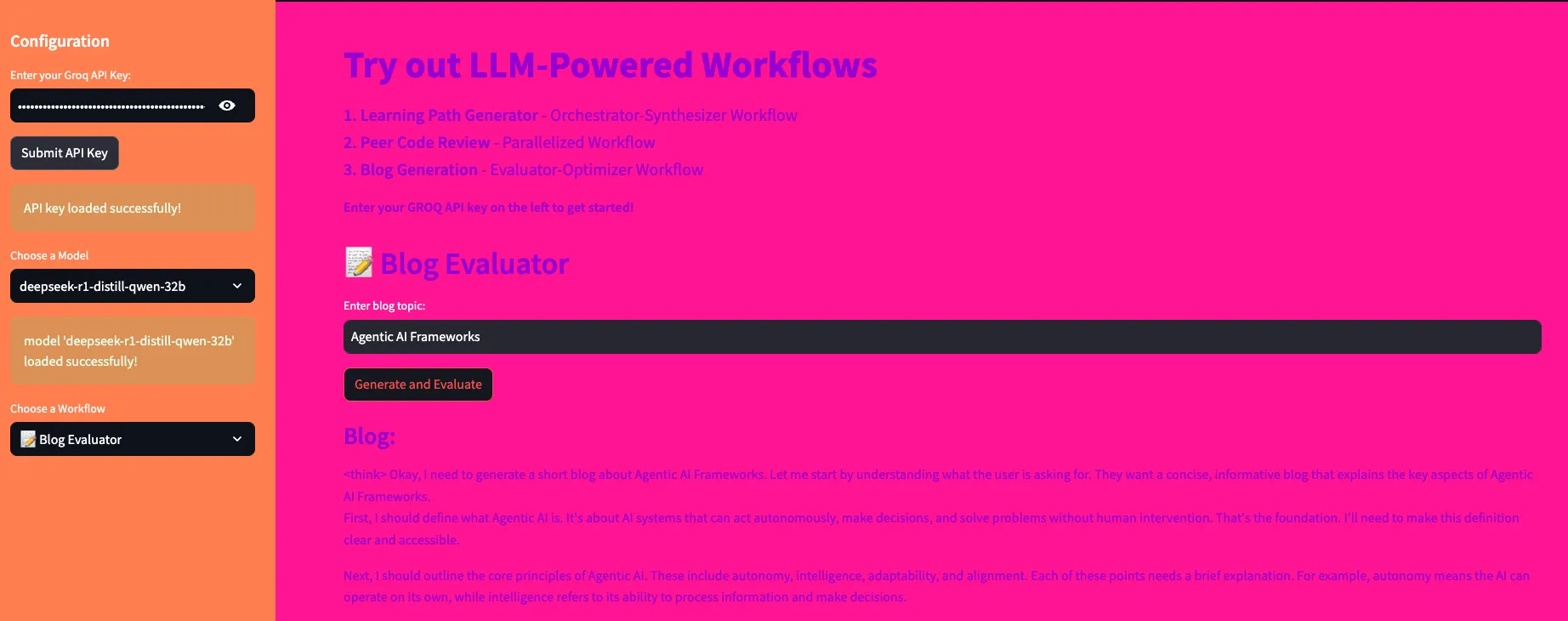
👉 Try it here:
https://huggingface.co/spaces/Deepri24/LangGraph_Workflows
What This Blog Covers
- Understanding agentic workflows
- Building 3 real use cases
- Step-by-step development process
👉 Code: https://github.com/lulu3202/langgraph_workflows
Agentic AI vs AI Agent
Agentic AI
- A system that solves workflows
- Uses multiple agents/tools
AI Agent
- A specialized tool
- Performs a specific task
👉 Key idea:
Agentic AI = system
AI agents = components
Why Start with LangGraph
LangGraph is the best starting point because:
- it builds strong foundations
- other frameworks become easier later
Key Concepts
- State → shared data
- Nodes → operations
- Edges → flow between nodes
- Workflows → execution patterns
An Iterative Approach
I followed a structured process:
- Brainstorm use cases
- Develop individual components
- Debug workflows
- Build UI
- Push to GitHub
- Deploy
Use Cases
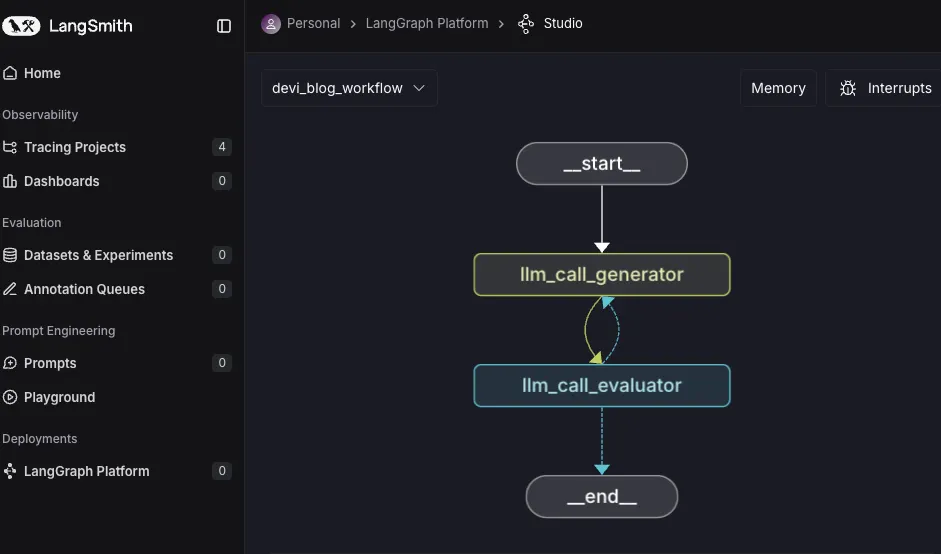
1. Blog Generation App
Uses Evaluator-Optimizer workflow
📸 Workflow
Why this works
- generates content
- evaluates quality
- improves iteratively
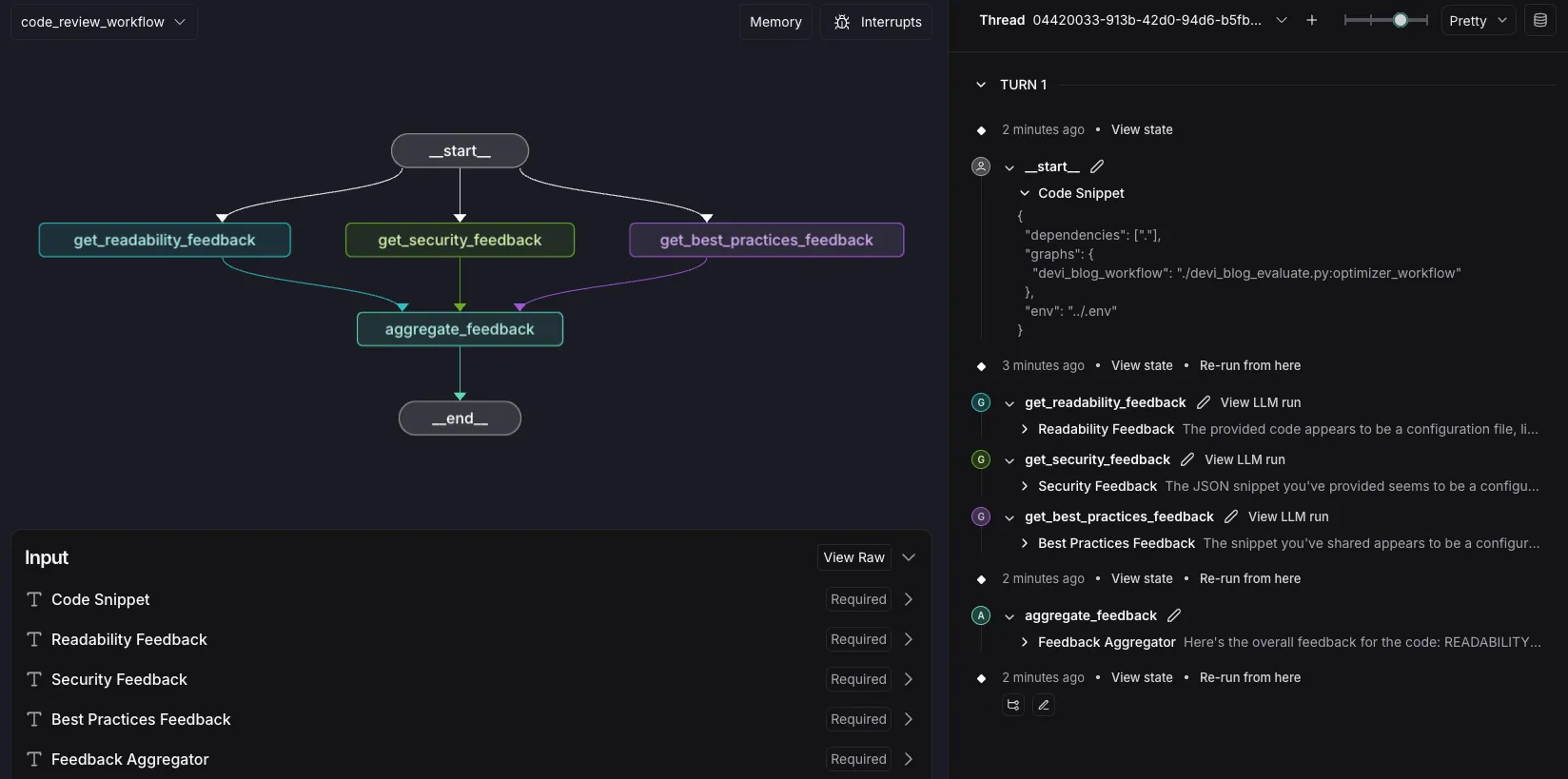
2. Code Review App
Uses Parallelization workflow
📸 Workflow
Why this works
- multiple checks run simultaneously
- faster and more efficient
3. Learning Path Generator
Uses Orchestrator-Synthesizer workflow
📸 Workflow
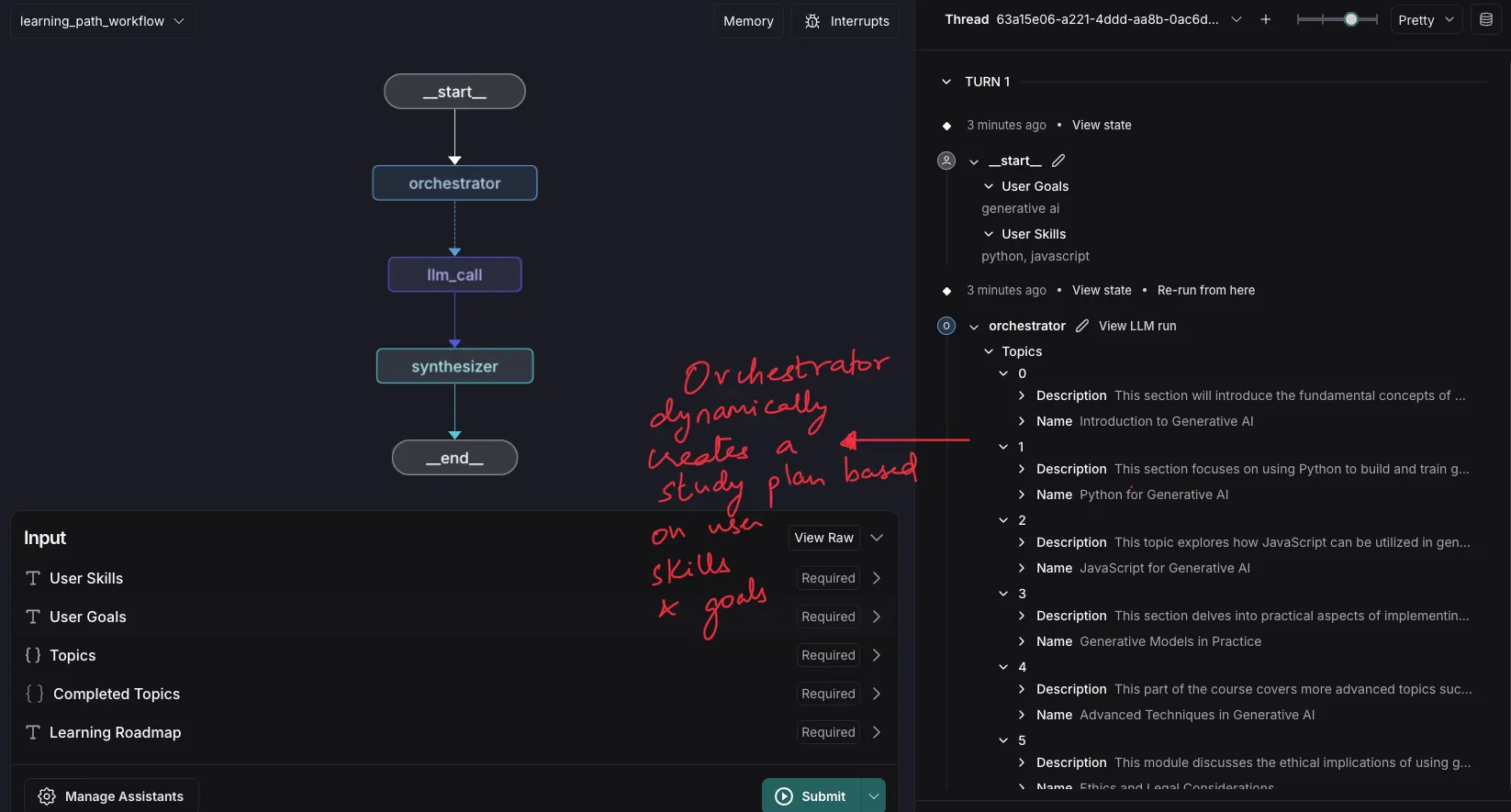
Why this works
- dynamically creates tasks
- adapts to user input
Key Difference
Parallelization → predefined tasks
Orchestrator → dynamic tasks
Development Process
1. Understand the Problem
- define input
- define output
- map workflow
2. Define State
- central object
- tracks workflow progress
3. Define Nodes
- operations
- transformations
4. Define Edges
- conditional flows
- decision points
5. Build Graph
- connect nodes
- define execution
6. Compile & Run
- test workflows
- validate outputs
Debug Phase
LangGraph provides:
- LangSmith
- LangGraph Studio
Debug Tools
@traceabledecorator- execution tracking
- graph visualization
UI Phase
Built using Streamlit.
Features
- simple UI
- real-time outputs
- easy integration
Run locally
streamlit run app.py
Deployment
Streamlit Cloud
- connect GitHub repo
- deploy instantly
Hugging Face Spaces
- create space
- update config
- deploy
🎥 Companion Video
Conclusion
This project helped me:
- understand agentic workflows
- build real applications
- experiment with frameworks
Why this matters
Agentic AI is shifting from:
👉 generating content
to
👉 solving workflows
Key Insight
Agentic AI is not about generating text
it’s about orchestrating systems
📩 Subscribe
If you’re building AI systems:
I share practical workflows, tools, and experiments every time I publish.